












































































Bevel
Apply 2D bevel on the image.
Node Data | |
|---|---|
 | |
Display name | |
Bevel | |
Internal name | |
Node_Bevel | |
Inheritances | |
| Node_Processor | |
| Node_Bevel | |
Inputs | |
Surfaces | |
enum |
Oversample Mode |
surface |
Surface In |
surface |
Mask |
slider |
Mix |
Bevel | |
enum |
Slope |
int |
Height |
bool |
Highres |
Transform | |
vec2 |
Shift |
vec2 |
Scale |
bool |
Shift Multiply |
Outputs | |
surface |
Surface Out |
Attributes | |
| Color Depth | |
| Oversample | |
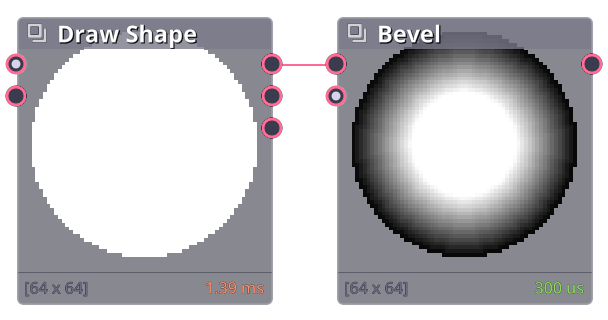
Darken pixels from the nearest edge. Work best with black and white image. The height of the bevel is based on the brightness of that pixel.

Properties
| Bevel | |
| Slope | Shape of the bevel profile. |
| Height | Maximum bevel level. |
| Highres | Use shader with higher iteration for cleaner output. |
| Transform | |
| Shift | Move bevel per level. |
| Scale | Scale distance per each bevel level. |
Transformation
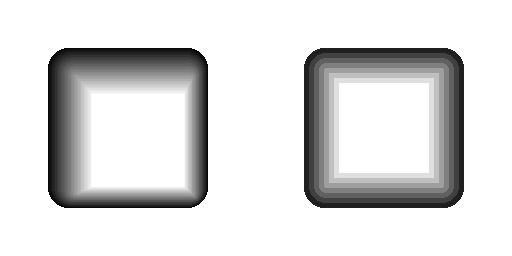
Shift and Scale are used to create directional shading effect. Reducing the scale to be lower than 1 increase the width of each band. Then apply shift to set light position.
Commit History
| 1.21.8.006 |
|
|---|
Related Links
- Base Code: /scripts/node_bevel/node_bevel.gml
- Shader [sh_bevel_highp]: /shaders/sh_bevel_highp/sh_bevel_highp.fsh
- Shader [sh_bevel]: /shaders/sh_bevel/sh_bevel.fsh